As an Amazon Associate, we earn from qualifying purchases. Some links on this site are affiliate links at no extra cost to you. Our recommendations are based on thorough research and editorial judgment.


How To Clean A Scanner?

To clean our scanner, we should start by unplugging it and setting up on a flat surface. Using microfiber cloths, we can gently wipe the glass with a small amount of glass cleaner for stubborn stains. Internally, we’ll use a soft brush or compressed air to remove dust—be cautious around optical lenses. Regular cleaning, ideally after scanning 5,000 sheets, keeps our scans sharp. There’s more we can explore about routine maintenance and prolonging our scanner’s lifespan.
Key Takeaways
- Unplug the scanner, and gather microfiber cloths, compressed air, and cleaning solutions before starting the cleaning process.
- Open the scanner cover and wipe the glass with a dry microfiber cloth, using glass cleaner for stubborn stains.
- Use a soft-bristled brush or compressed air to remove dust from internal components without blowing air directly onto optical lenses.
- Insert a cleaning card through the scanner’s paper path to clean critical surfaces and improve overall scanning quality.
- Schedule maintenance at least twice a year to check mechanical components, clean the glass, and ensure optimal performance.
Preparing to Clean a Scanner

You may be interested



Preparing to clean a scanner involves a few essential steps that guarantee both safety and effectiveness. First, we need to confirm proper scanner preparation by unplugging the device and working on a stable, flat surface. This minimizes the risk of accidents. Next, we should gather appropriate cleaning materials, like microfiber cloths and compressed dry air, to remove dust without contact. It’s vital to examine the scanner under adequate lighting to identify any dirt or smudges. Using dust-free gloves will help protect sensitive optical surfaces during our work. Finally, we must remember to apply any cleaning solutions to cloths or swabs instead of directly onto the scanner, making sure we avoid damage. Following these steps sets the stage for a thorough clean. Regular maintenance, like using presaturated cleaning sheets, can greatly enhance the scanner’s performance.
Cleaning the Scanner Glass Surface

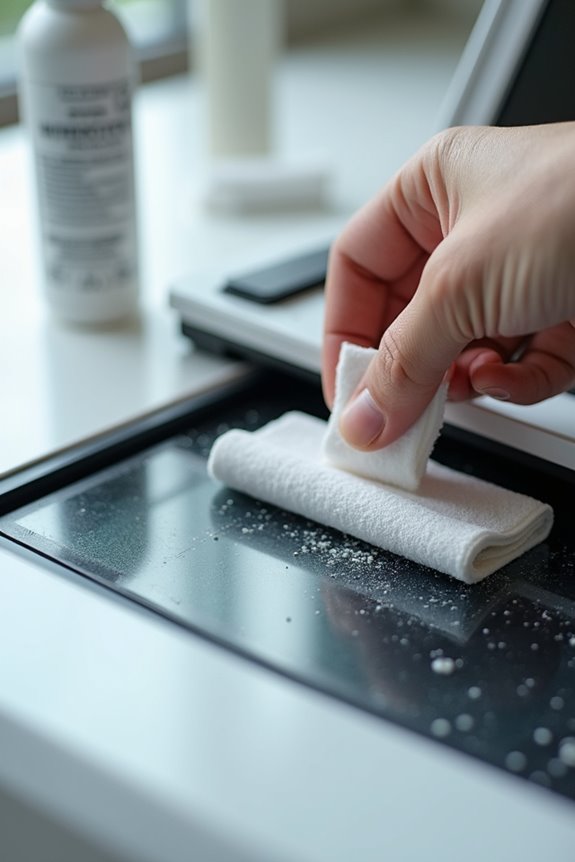
Cleaning the glass surface of a scanner is essential for maintaining ideal scan quality and ensuring clear images. To start, we should open the scanner cover and gently wipe the glass with a soft, dry microfiber cloth, avoiding any rough materials that could scratch it. For tougher stains, we can use a small amount of approved glass cleaner on the cloth rather than directly on the glass. It’s vital we buff away streaks afterwards to maintain the scanner’s integrity. Regular scanner maintenance not only protects the glass but also enhances our scanning results. Remember, damaged glass leads to reduced sharpness, so let’s keep it clean and dry for the best performance and longevity of our device! Additionally, using non-toxic cleaners ensures the safety of both the equipment and the environment while achieving optimal clarity.
Recommended Products

Glasses cleaner - Sourced from the highest quality microfiber that absorbs and removes dust, oil, smudges, fingerprints, dirt, and more. Leaves no scratches, streaks, marks, or lint behind. The perfect eyeglass cleaner for reading glasses, women, men, adults, him, her, teens, and more.

Premium Ultra-Soft Microfiber: Effortlessly removes fingerprints, smudges, oil, and dust without scratching—leaving lenses and screens spotless and streak-free.

ABSORBENT & FAST DRYING - Microfiber material provides super absorbent water ability of the cloths makes quick drying large surface. They deliver extreme absorbency, so at the same time ensure quick drying.
Cleaning Internal Scanner Components
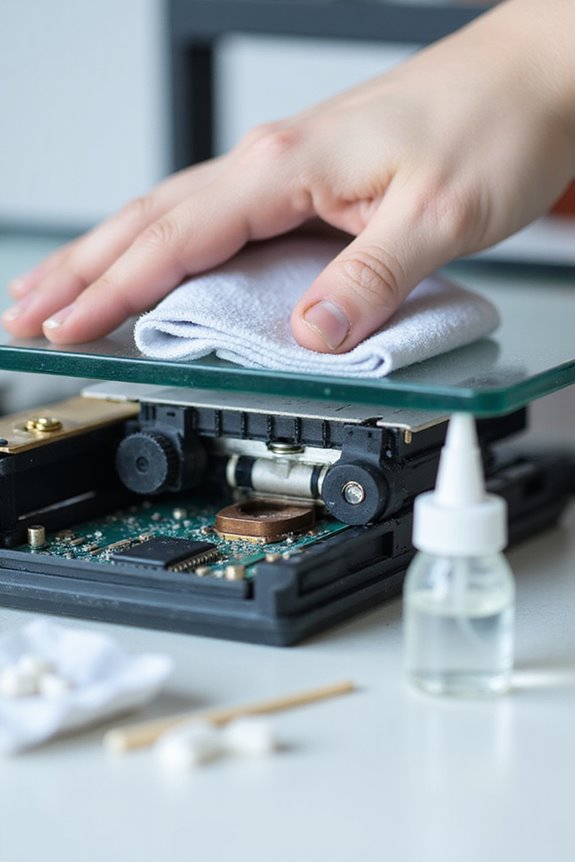
After guaranteeing the scanner glass is clean and clear, it’s important to turn our attention to the internal components. Proper internal component care is essential for peak scanner performance. We can gently remove dust and debris using a soft-bristled brush or compressed air, but let’s avoid directly blowing air onto sensitive optical lenses, as this could cause damage. When we’ve scanned approximately 5,000 sheets, or when we notice scan errors due to dust, it’s time for a cleaning session. For pixel-perfect results, we can use a microfiber cloth to clean internal optical surfaces. By maintaining our scanner’s sensors and internal components regularly, we promote longevity and quality output for our scanning projects. Regular use of cleaning cards can help enhance image quality and reduce dirt buildup.
Recommended Products

Glasses cleaner - Sourced from the highest quality microfiber that absorbs and removes dust, oil, smudges, fingerprints, dirt, and more. Leaves no scratches, streaks, marks, or lint behind. The perfect eyeglass cleaner stocking stuffers for adults, men, women, him, her, teens, and more.

Premium Materials: Extremely high-quality, soft, microfiber material absorbs and removes dust, oil, smudges, fingerprints, and dirt. Leaves no scratches, streaks, marks, or lint. Makes the perfect stocking stuffers for adults, men, women, him, her, teens, and more.
Using Cleaning Cards and Tools
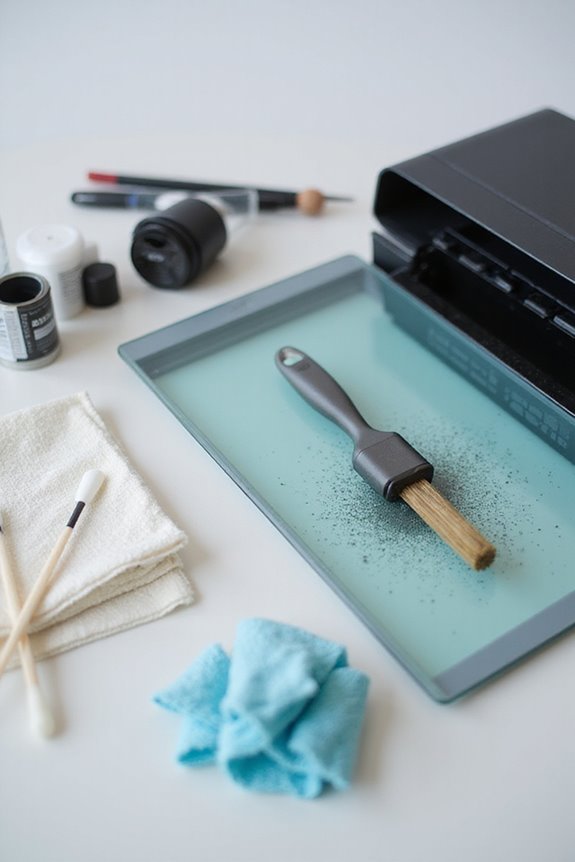
Regularly using cleaning cards and tools can greatly enhance our scanner’s performance and longevity. These cleaning cards release a specially formulated solution composed of 99.7% ultra-pure isopropyl alcohol to dissolve dirt and grime effectively. At approximately 4.375” x 8”, they fit perfectly through the scanner’s paper path, guaranteeing a clean sweep of critical surfaces. Utilizing these cleaning techniques, we can considerably reduce misfeeds and improve scan quality, typically with just one card per cleaning cycle. Adding specialized cleaning swabs complements the cards, allowing us to target hard-to-reach areas. By following manufacturer guidelines and using maintenance tools designed for our scanner brand, we guarantee consistent performance while safeguarding our investment and minimizing downtime. Regular cleaning is essential to prevent streaks or blurry images, ensuring optimal scanning results.
Recommended Products

High-Performance Waffletechnology Surface: Our check scanner cleaning sheets are designed with the cutting-edge cleaning surface to provide the best possible cleaning outcomes for Digital Check scanner devices.

Remove dirt and ink buildup easily with a Canon approved cleaning card

Suitable Size: credit card reader cleaner cards are a balance of size and function, measuring about 3.375 x 2.125 inches/ 86 x 54 mm to fit many standard card readers; The thickness is about 0.3 inches/ 0.711 mm, which is the thickness of a standard credit card, suitable for card reader and card printer
Frequency and Routine Maintenance
To keep our scanner operating at peak performance, setting a clear frequency for routine maintenance is vital. We recommend scheduling inspections at least twice a year to closely monitor mechanical and electrical components. During these inspections, we should examine the gantry rotation and high-tension cables for maximum functionality. Also, checking the cooling systems can help prevent overheating, which might lead to costly failures. Regularly cleaning the scanning glass and feed rollers is essential for preserving image quality and ensuring smooth operation.
Adhering to a structured maintenance schedule allows us to identify small issues before they escalate, minimizing downtime. Regular calibrations guarantee imaging accuracy and enhance overall quality. By committing to this inspection frequency and following recommended practices, we can keep our scanners running efficiently and effectively, assuring reliable service for our needs.
Common Mistakes to Avoid When Cleaning
When cleaning our scanners, it’s essential we avoid common mistakes that can hinder performance. For instance, using cleaning cards incorrectly can leave rollers partially uncleaned, especially if we run them through normal software. We need to hold the card in place and avoid reusing or re-wetting them. Also, let’s skip harsh cleaners like window sprays or high-percentage alcohol, as they can damage surfaces. Instead, we should use gentle, non-alcoholic wipes. Regularly checking glass and sensor areas is vital too; ignoring this can result in poor scan quality. Finally, we mustn’t overlook the manufacturer’s cleaning procedures, including any specialized software they provide. Following these effective techniques can optimize our cleaning frequency and enhance scanner longevity. Additionally, using high-quality microfiber cloths ensures effective cleaning without scratching surfaces, contributing to better scanner performance.
Tips for Prolonging Scanner Lifespan
While it may seem simple to maintain our scanners, establishing effective practices for prolonging their lifespan is essential. We should clean the scanner glass weekly or after about 1,000 scans to guarantee peak image quality. Regularly updating software enhances performance and guarantees compatibility. Additionally, positioning scanners in stable, clean environments reduces mechanical stress and dust infiltration, key environmental factors affecting longevity. Let’s also implement daily cleaning routines for frequent-use scanners to prevent dust buildup. Finally, adopting power management practices, like properly powering down scanners, supports device health and efficiency. By following these tips on scanner usage and care, we can greatly extend our scanners’ lifespan, guaranteeing they remain reliable tools for our tasks.
Frequently Asked Questions
Can I Use Paper Towels for Cleaning the Scanner Glass?
We can’t rely on paper towels for scanner glass; while they seem convenient, they risk scratches and streaks. Instead, we should embrace soft, lint-free alternatives that protect our equipment and guarantee quality scans.
What Should I Do if My Scanner Won’T Turn on After Cleaning?
If our scanner won’t turn on after cleaning, we should check connections and power sources first. Remembering electrical safety precautions during troubleshooting helps prevent damage while ensuring we’re following proper scanner troubleshooting tips for resolution.
How Can I Prevent Dust From Accumulating on My Scanner?
Did you know that 80% of dust in offices comes from outside? To prevent dust accumulation on our scanners, let’s follow these scanner maintenance tips and employ effective dust prevention techniques for better performance and longevity.
Is It Safe to Use Vinegar for Cleaning My Scanner?
Is vinegar effective for cleaning our scanner? It’s not recommended; it can damage surfaces. Instead, let’s consider safer cleaning alternatives like mild soaps or approved glass cleaners, which help maintain our scanner’s integrity without causing harm.
Can I Use Baby Wipes to Clean the Scanner Components?
Of course, baby wipes are perfect for our precious scanner maintenance! Just kidding—they’re too moist. Instead, let’s stick to proper cleaning solutions like microfiber cloths and approved detergents to keep our scanners safe and functioning well.